
Amazon Elastic File System (EFS)
Recently, I was working with a customer who - let’s just say wasn’t having a great experience with [Elastic File System EFS] (https://aws.amazon.com/efs/details/). If you’re not familiar with EFS, just think of it as managed NFS. EFS allows you to share a file system between EC2 instances - potentially thousands of them.
In this particular case, the customer was using EFS to share data between multiple web servers. The problem was (what at first seemed to be random intervals) the website would come to a grinding halt. Throwing 502 Bad Gateway errors in the middle of the day is not something you want to have happen.
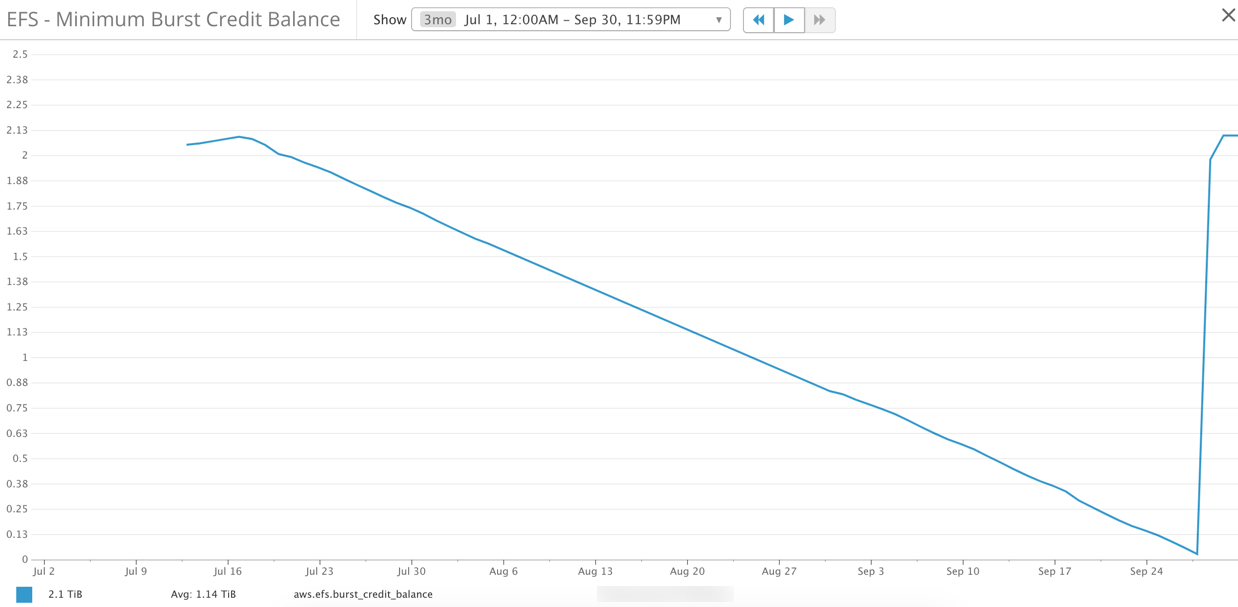
The diagram above is not what you want to see. EFS, like EC2 (T2 Instances) and EBS, has [burst credits] (http://docs.aws.amazon.com/efs/latest/ug/performance.html). If (or when in this particular case) you run out of credits your EFS filesystem is throttled. In our situation, the throttling caused a sort of cascade effect across the entire system. Latency on the ELB’s increased dramatically and since the EC2 instances were no longer able to handle requests, the number of open connections to RDS continuously increased. Not the situation you want to find yourself in on Monday morning around 10 AM - lots of upset folks.
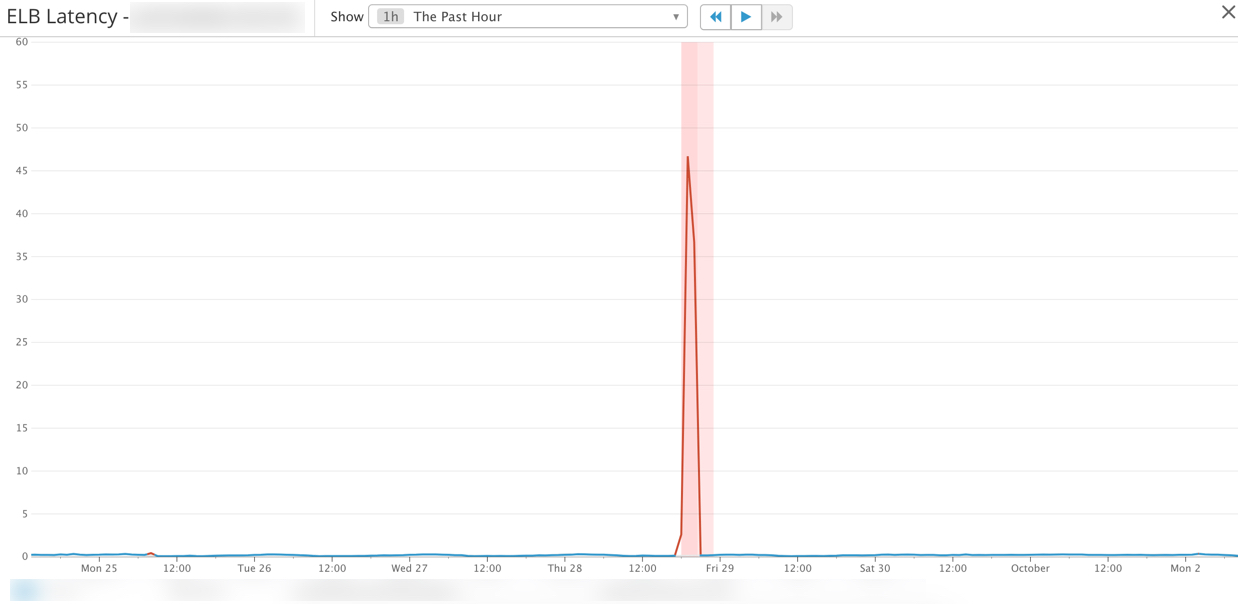
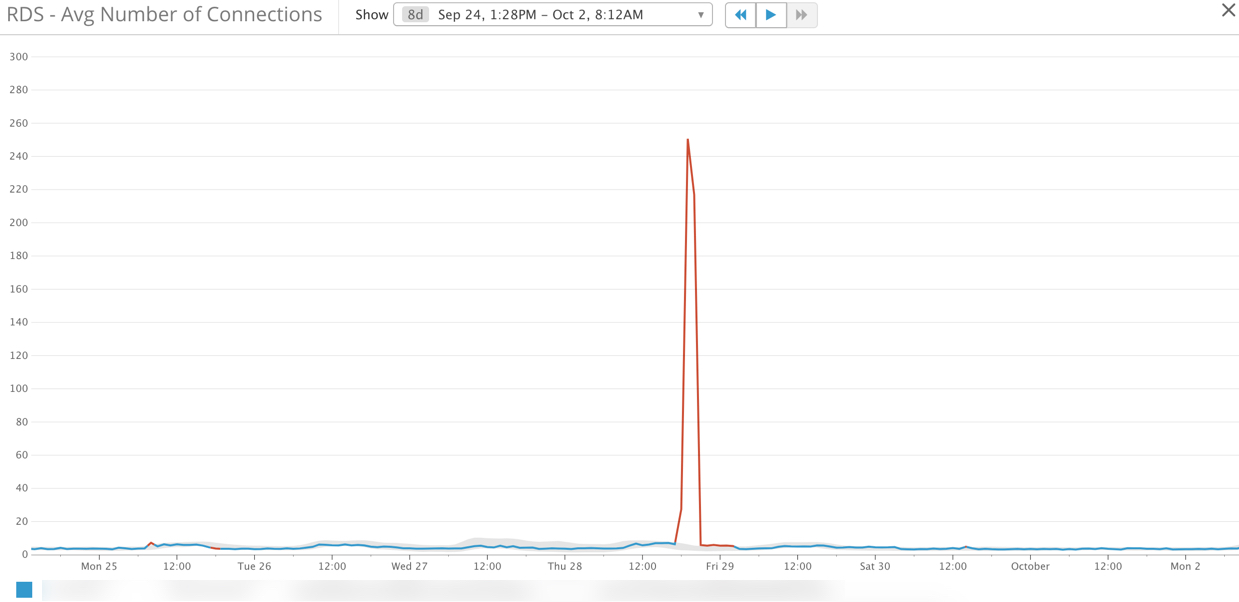
CloudWatch is your Friend!
There are two critical [CloudWatch metrics] (http://docs.aws.amazon.com/AmazonCloudWatch/latest/monitoring/efs-metricscollected.html) you should be monitoring if you’re running EFS. I/O Percentage (PercentIOLimit) and Burst Credits (BurstCreditBalance). The I/O metric helps you determine if you selected the correct EFS file system type - you can choose either General Purpose or Max I/O. For the majority of cases, you’ll probably be okay with General Purpose - the CloudWatch metric (PercentIOLimit) will help you be sure.
The other metric is Burst Credits (BurstCreditBalance). It turns out in our situation our EFS file system was very small (under 10GB), had many small files, and was also being used for caching. The combination of these three things (small file system, a large number of small files, and caching) meant EFS was destined to fail.
The Solution
The solution turned out to be quite simple. First, we used the [AWS documentation] ( http://docs.aws.amazon.com/efs/latest/ug/performance.html) to help determine the throughput requirements on EFS. Once we calculated the size of the file system required to meet our throughput requirements we placed a dummy file on EFS using the dd command.
We also made some changes to what we were storing on EFS. We moved logging and caching off EFS and onto EBS volumes.
These two minor changes completely alleviated our EFS bursting issues and the cascading failure across multiple AWS services we were seeing before making these changes.