
Handling Jobs in the SQS Queues
In the previous two articles, I told you about how I used scheduled Lambda jobs and S3 event notifications to remove multiple Cron jobs running on an EC2 instance. In this article, I’ll talk about how I handle jobs in the SQS queues.
The Hockey Pool application uses a total of five SQS queues. Three are for processing stat files; the other two are for injuries and lifetime standings - ya, we’re stat geeks.
Unlike S3, SQS is not able to invoke Lambda functions based on events - like new jobs in a queue, so we’re going to have to use some other method to process those jobs.
Lucky for us, we can monitor the number of jobs in an SQS queue with Cloud Watch and use Autoscaling to start an EC2 instance to clear jobs.
Launch Configuration
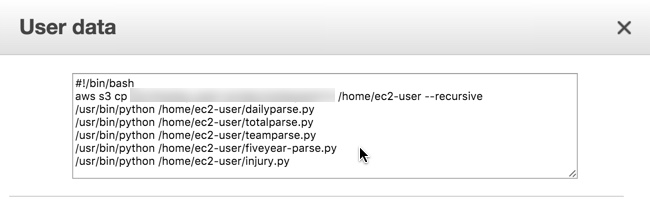
Simple stuff here, we’re going to use a T2.micro instance, bootstrap it with some simple user-data scripts and make sure that it has an IAM role to give it the access it needs (namely S3).

During the bootstrapping of the EC2 instance, I download a few scripts from S3. To do this, I’m assigning a public IP address to the instance. If you don’t want to assign a public IP address, you can set up a VPC endpoint.
Auto Scaling
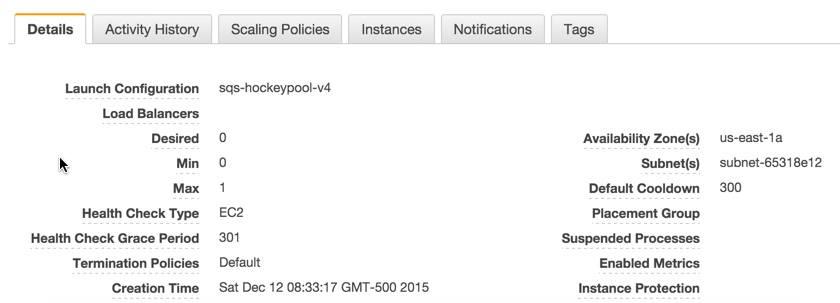
Like the Launch Configuration, there’s nothing fancy here. Minimum 0, Maximum 1 EC2 instance used to process our SQS queues.
Auto Scaling Policies
I created two scaling policies. One to scale out the infrastructure when there are SQS jobs, and one to scale in when there’s no work to be performed.
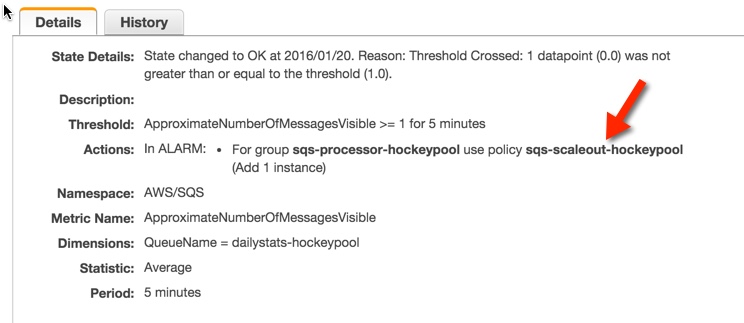
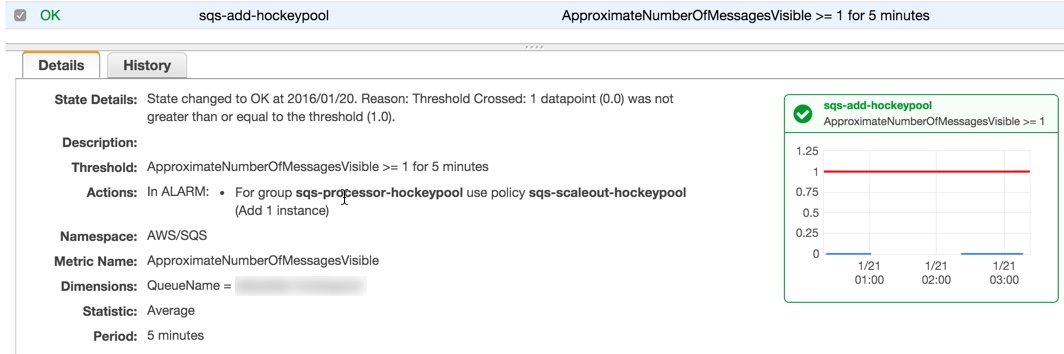
Scaling out occurs when there are one (or more) jobs in the daily SQS queue.
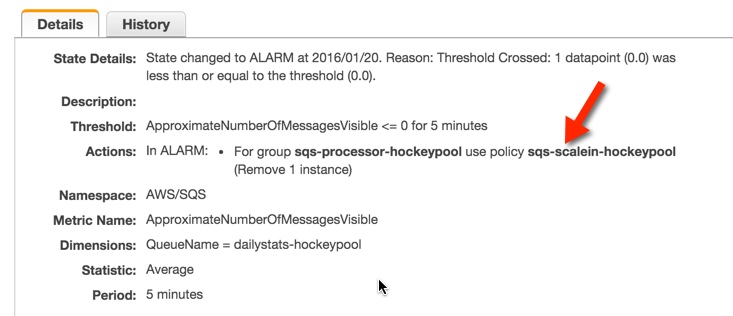
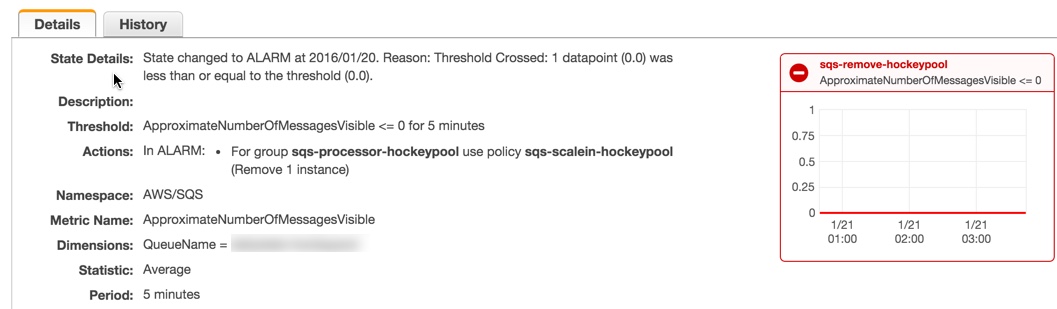
Scaling in occurs when there are no jobs to be processed in the daily SQS queue.
Cloud Watch
All that’s left to do now is invoke the scaling policies by monitoring our SQS queues with Cloud Watch.
First, we’ll monitor the Daily SQS queue for jobs. If there’s more then one, we’ll call our scale-out policy and start our processing EC2 instance.
We need to make sure that we scale in as well…otherwise, we’ll be spending money for nothing.
There you have it. No more EC2-based Cron jobs and a flexible loosely coupled infrastructure in Amazon.